 Daftar
Expenses, income and debts in one place, in pounds and dollars
Still keeping it in a notebook or a spreadsheet? Daftar keeps it on your phone: an expense in seconds, an exchange at today's rate, and a debt you can watch shrink. It works offline, and everything on your phone is encrypted.
- Closed test on Google Play
- Android
- Free for now
From the notebook page… to your phone
- 24Morning coffeeCafés−90 SYP
- 24Taxi to workTransport−250 SYP
- 25SupermarketFood−1,840 SYP
- 26Exchange$50=5,750 SYP
- 27Abu SamerDebt+5,000 SYP
- 28SalaryIncome+$400
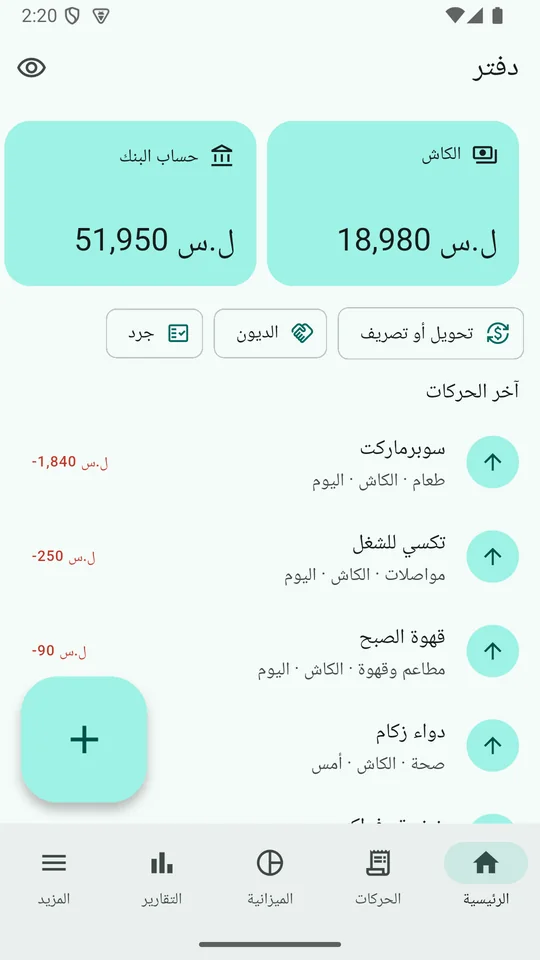
Everything your notebook held, only faster and clearer
Daftar is made for people who run their money in more than one currency and want to know where every pound went, without spreadsheets or sums in the margin.
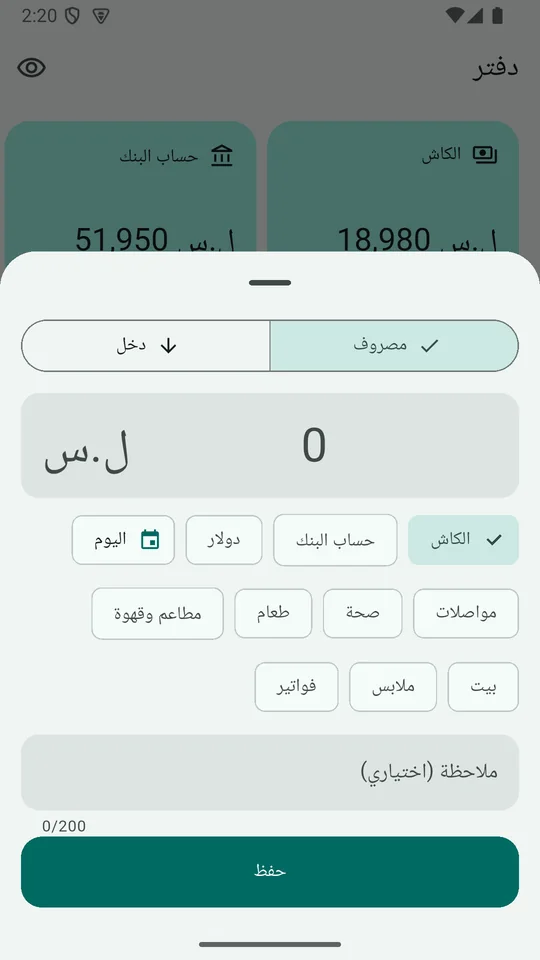
A new expense in seconds
Type the amount, pick the wallet and category, save. The date is today unless you change it and the note is optional. From your phone's home screen, the quick-add widget opens straight to a new entry.
- Expense or income from the same sheet
- Ready-made categories you can change
- Instant undo after a delete
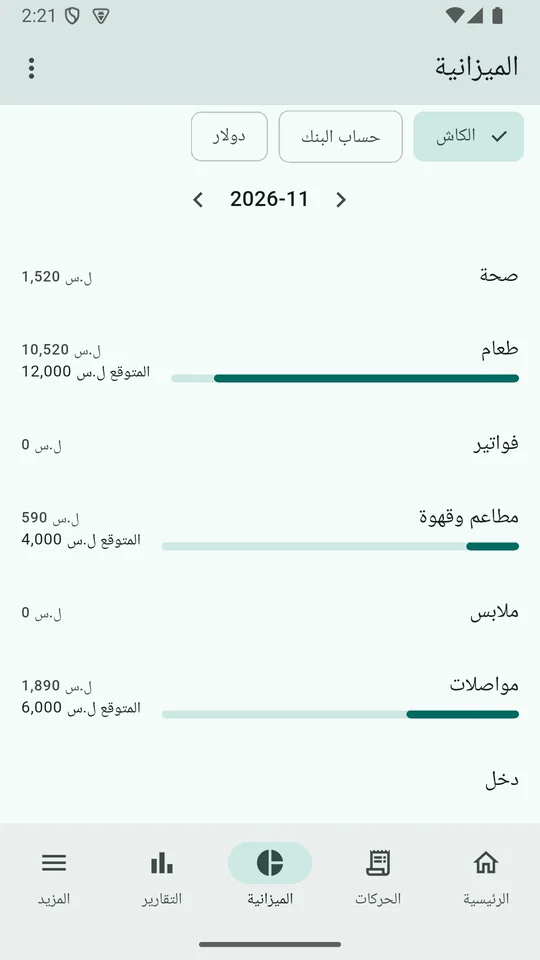
Your month: expected against actual
Set what you expect to spend in each category and see what you actually spent. Your month starts on the day you choose, payday for example, and you see the balance you should end the month with.
- A budget for each wallet
- Copy last month's budget in one tap
- The leftover carries over
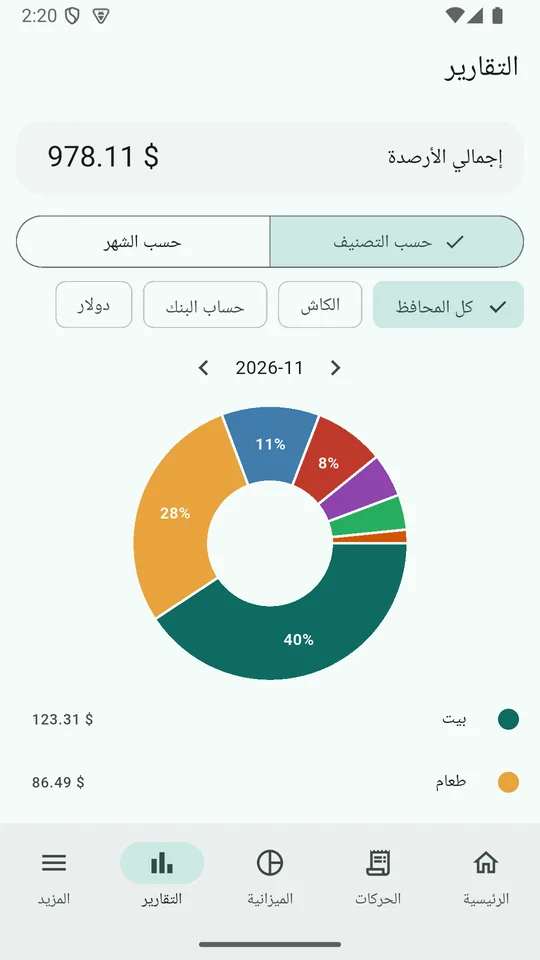
Reports you read at a glance
Spending by category or by month, for all wallets or just one, with your total balance in the home currency you choose.
- A chart for every month
- Amounts without a rate are flagged, not miscounted
Wallets in any currency
Cash, bank account, card, e-wallet, savings or gold. Each wallet keeps its own currency and balance: pounds, dollars, euros, lira, dirhams or riyals.
Transfers and exchanges
Move money between wallets or change dollars into pounds. Daftar suggests the day's exchange rate; you edit it if your rate was different.
Debts
What you owe and what you're owed: a running balance per person, paid back in instalments whenever it suits.
Cash count
Count the cash in your pocket and compare it with what's recorded. Daftar shows you any gap.
Two-level categories
A group, then a category: Food, then Fruit and vegetables. Start with a ready-made set and shape it your way.
Export to Excel
Every transaction and every wallet balance in one file you can open on your computer.
Full backup
One file, encrypted with a password you choose, that restores all your data whenever you need it.
Offline, with sync
Record entries with no signal at all. Once you sign in, your data syncs between your devices.
Your data lives on your phone first
Your numbers are yours alone. Everything you record is kept on your phone in an encrypted database, and the app works fully offline.
An encrypted database
Your data file on the phone is encrypted, so it can't be read outside the app.
PIN or fingerprint lock
Your fingerprint stays on your phone and never reaches us.
Hide balances in one tap
Open the app next to someone without showing your numbers.
Encrypted in transit
When you sign in, your data travels over HTTPS to your account, so it reaches your other devices and survives a lost phone.
Locked with your password
A backup is an encrypted file that won't open without its password.
No ads, no tracking
We never ask for card or bank account numbers, and we never sell or share your data.
The full details are in Daftar's privacy policy.
Before you start
Does Daftar need the internet?
No. You can record, edit and see your reports with no connection at all. The internet is only needed to sync with your account and to fetch the daily exchange rate.
Where is my data kept, and is it safe?
On your phone first, in an encrypted database, and you can lock the app with a PIN or your fingerprint. When you sign in, a copy travels over HTTPS to your account on EZ Bits servers so it reaches your other devices and survives a lost phone. No ads, and we never sell or share your data.
Which currencies does it support?
Each wallet has its own currency: the new Syrian pound, US dollar, euro, Turkish lira, UAE dirham or Saudi riyal. Exchanges between them suggest today's rate, which you can edit, and totals show in the home currency you choose.
How much does Daftar cost?
Daftar is free for now. A Pro version with extra features may come later.
How do I get the app?
Daftar is in a closed test on Google Play for Android phones. Request early access through our contact page or at info@ezbits.cloud and we will add you to the testers.
Do I need an account?
You can start straight away as a guest. After a few days the app asks you to create a free account with your email so your data is saved and synced between your devices; everything you recorded as a guest moves into it.
Can I get my data out?
Yes. Export every transaction and wallet balance to an Excel file, or make a full backup encrypted with a password you choose and restore it whenever you need.
Does it work on iPhone?
Not yet. Daftar is Android only for now.
Try Daftar before everyone else
Request early access and we'll add you to the testers of the closed test on Google Play.